 Qallos
Free podcast player for iPhone and iPad
The podcast player where you can actually search.
Search every episode, not just every show. Narrow by length, date, topic and what you have already played, then press play. No ads, no subscription.
Spotify is built for music. Podcasts deserve their own search.
Music apps are great at playlists and repeat. But try finding a short episode you have not heard, from a show you follow, and you end up scrolling a show page. Qallos starts from the question you actually have.
Elsewhere
Open the show. Scroll. Scroll more. Wonder if you have heard this one.
Qallos
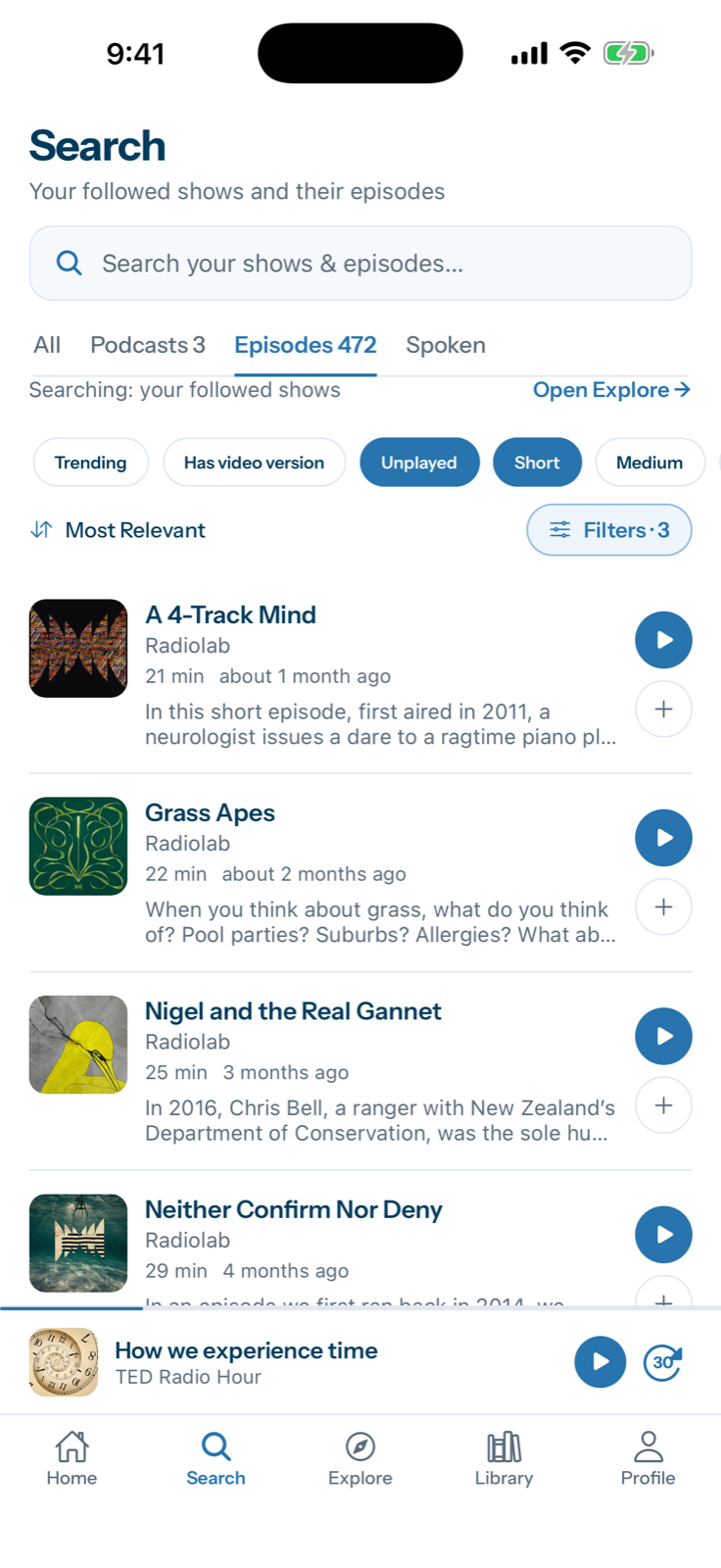
Pick a topic. Tap Unplayed and Short. Press play.
How search works
From “something short about science” to playing, in three taps
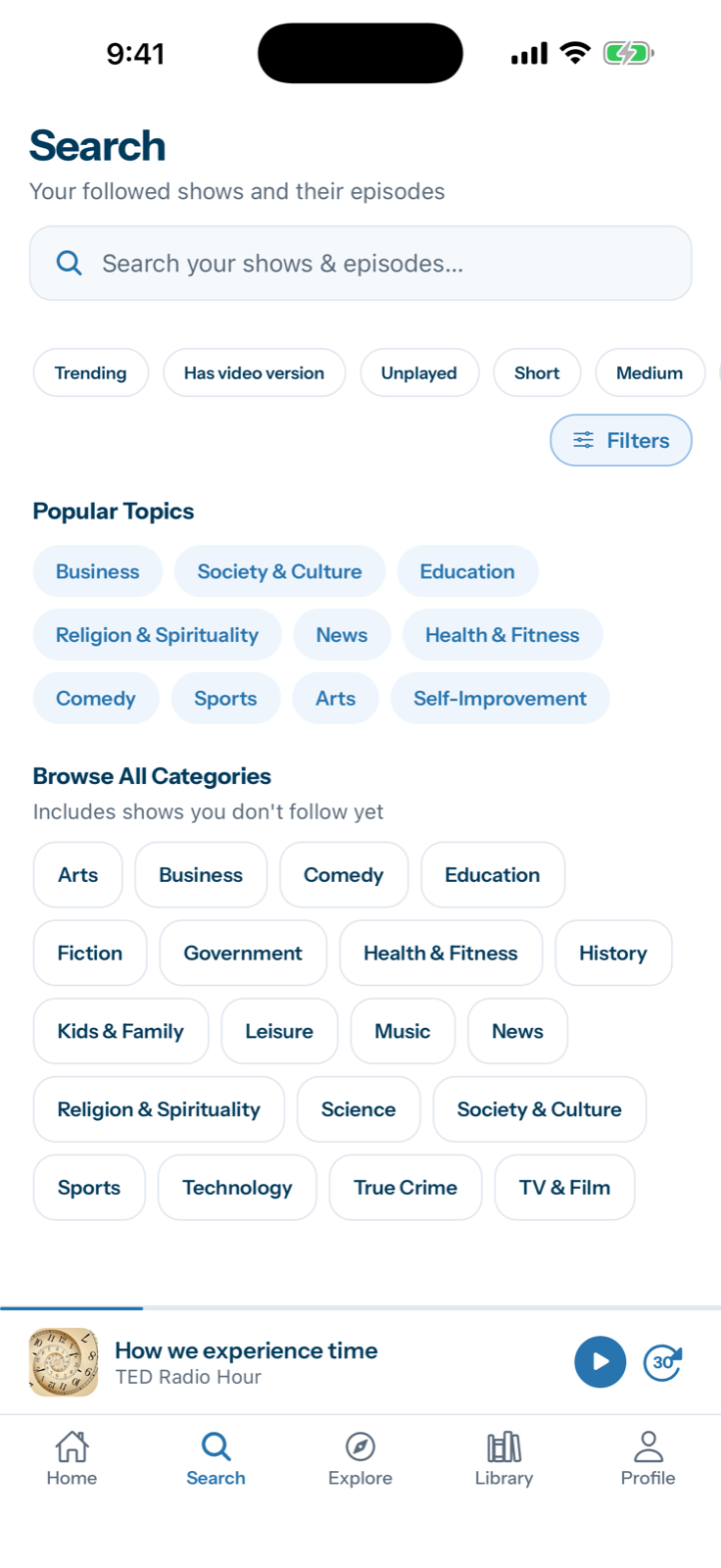
Search or pick a topic
Type, say it, or tap a popular topic. Search your own shows or all of Explore.
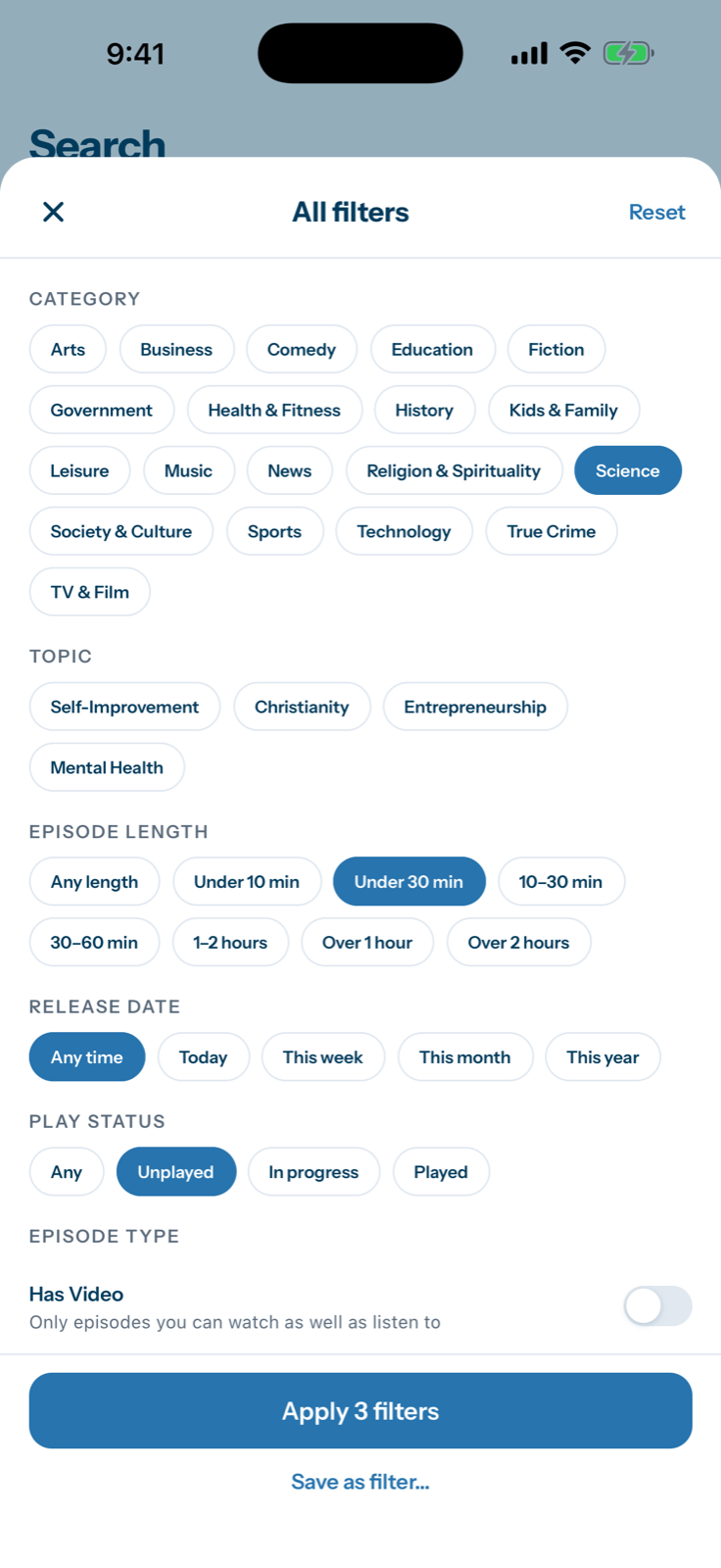
Narrow it down
Length, release date, category, play status. Stack them and see the count change.
Press play
Real episodes, with the length and age on each row. Play it or add it to your queue.
Filter the way you think
Every filter works on episodes, and they stack. Combine as many as you like and the count updates as you go.
Length
Ten minutes before a meeting or a two-hour deep dive.
Release date
What is new today, or a good one from earlier this year.
Play status
Skip what you have heard, or pick up what you started.
Category
Nineteen categories, from Arts to True Crime.
Topic
Narrower interests inside the big categories.
Your library
Only shows you follow, or only episodes with a video version.
Questions Qallos can answer
Real ways people hunt for something to listen to, each one a few taps.
“A short science episode I have not heard”
Category: Science · Length: Under 30 min · Play status: Unplayed.
“Something to fill my commute”
Length: 30–60 min · Release date: This week.
“What is new from the shows I follow?”
Turn on From my shows and pick This week.
“The episode where they talked about sleep”
Type “sleep”, or use the Spoken tab to search what was said.
Search that goes deeper
- Search what was said. The Spoken tab looks inside episode transcripts, not just titles and descriptions.
- Save a filter. Found a combination you use every week? Save it and open it in one tap.
- Search while you type. Results appear from the second letter, with the keyboard still up.
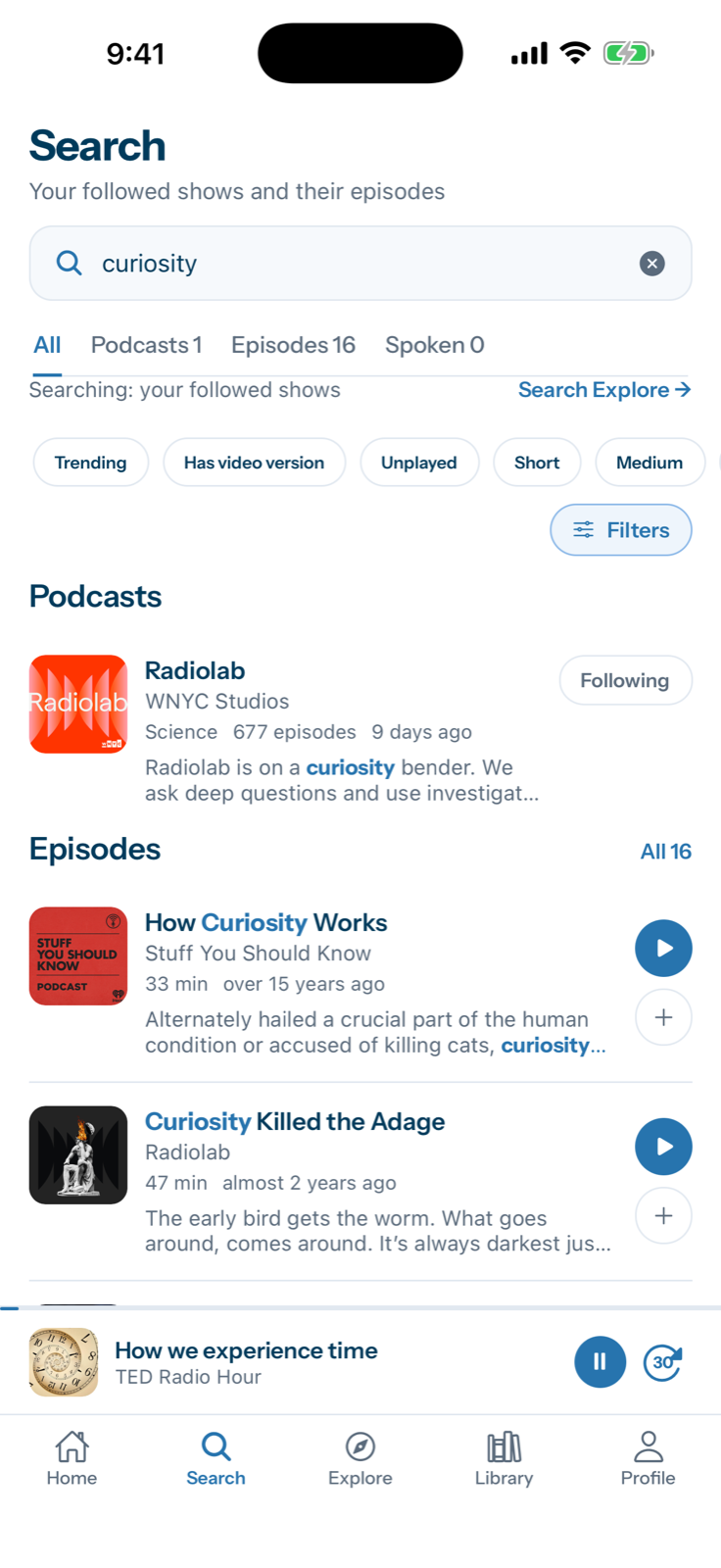
Shows and episodes, together
One search returns the shows that match and the individual episodes inside them, with counts for each. Search your own followed shows, or open Explore to search millions of podcasts you do not follow yet and follow with one tap.
And everything a daily listener needs
Queue and downloads
Line up what is next and download for the plane, the subway, or the trail.
Sleep timer
Stop after 15 to 60 minutes, or at the end of the episode.
Speed and silence
Play from 0.5x to 2x, pick your skip lengths, trim the silence.
Car Mode
Large, simple controls for when your hands are busy.
Bookmarks and stats
Save a moment to find again, and see what you actually listen to.
Notifications
New-episode alerts, switched on show by show.
Light and dark
Follows your phone, or choose.
iPhone and iPad
Built for both screens.
- Free
- No ads
- Start as a guest
- Face ID sign-in
- Delete your data anytime
Questions
Is Qallos really free?
Yes. There are no ads and no subscription.
Where do the podcasts come from?
Qallos plays shows from the publishers’ own public feeds. We do not host the audio, and artwork and descriptions are shown as the publishers provide them.
Do I need an account?
No. You can start as a guest and create an account later if you want your library on more than one device.
Is there an Android app?
Not yet. Leave your email on the support page and we will let you know.
I make a podcast. How do I get my show listed or removed?
Search for it in Explore and follow it to add it. To fix or remove a listing, email support@qallos.com.
How do I delete my data?
In the app, open Profile, then Settings. You can delete your listening data or your whole account there.